
What’s new in Waybird?
Your itinerary builder got another significant upgrade! We recently shipped a set of updates focused on one thing: making sure every detail, from pick-up times to pre-trip flights, ends up exactly where it needs to be, automatically.
We’re talking flight details at the click of a button, a brand-new start time field that flows straight into your summary PDF, and a cleaner way to handle pre-trip flights.
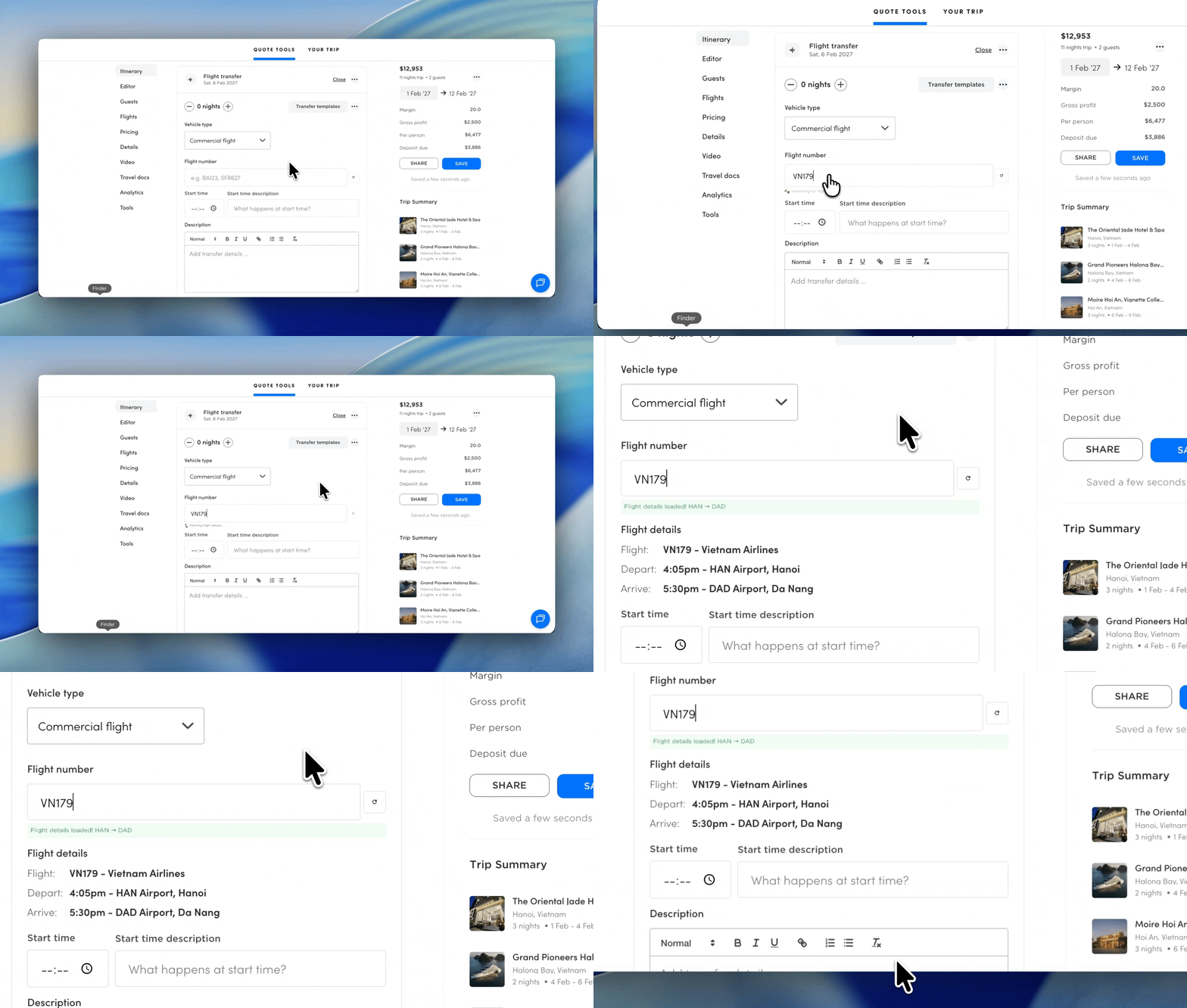
Flight number lookup
Type in a flight number and hit retrieve. Waybird pulls in the latest departure, arrival, and airline details automatically. This eliminates the need for manual entry in the description needed.
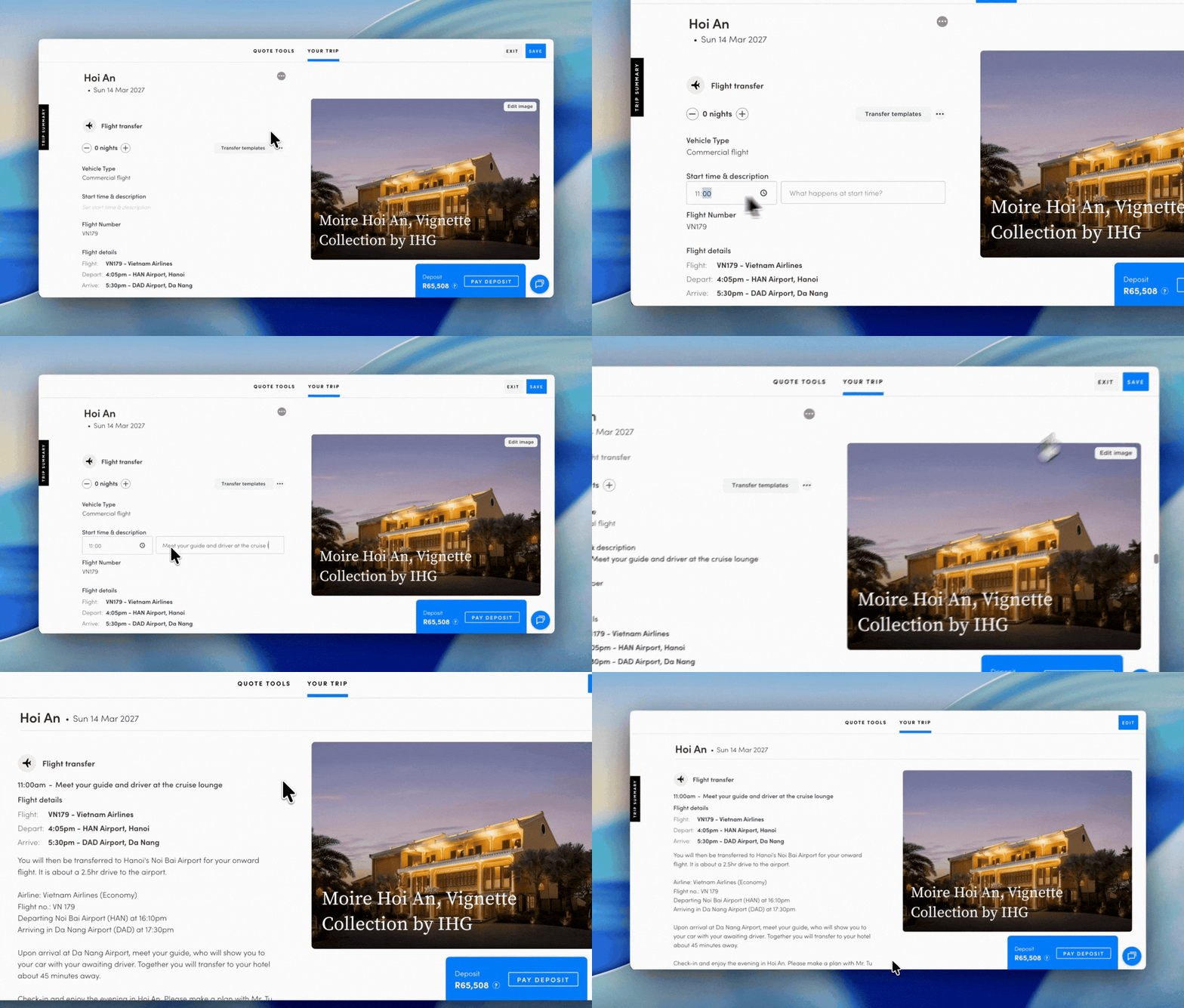
Start time & pick up descriptions
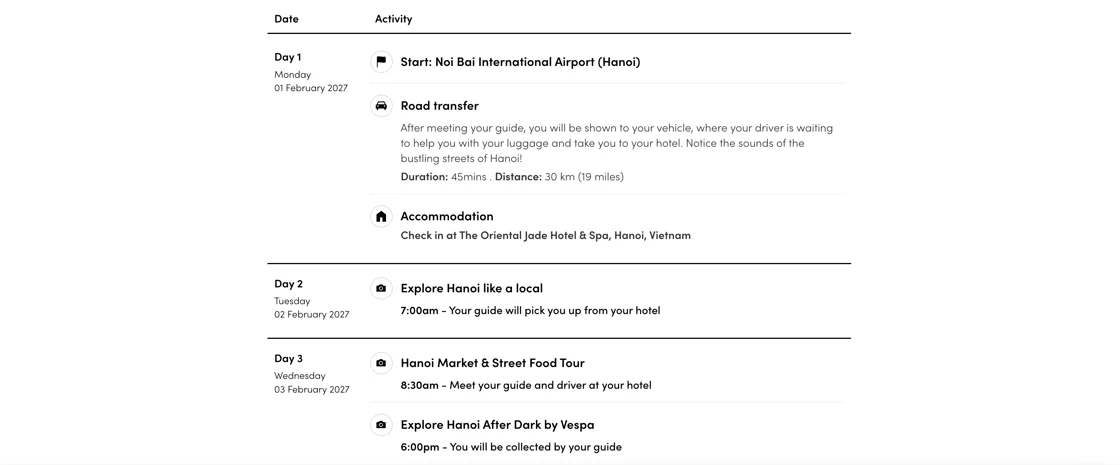
Add a start time and a short meeting/pick-up note to any activity or transfer. It sits cleanly above the description, and crucially, it now shows up in your summary PDF.
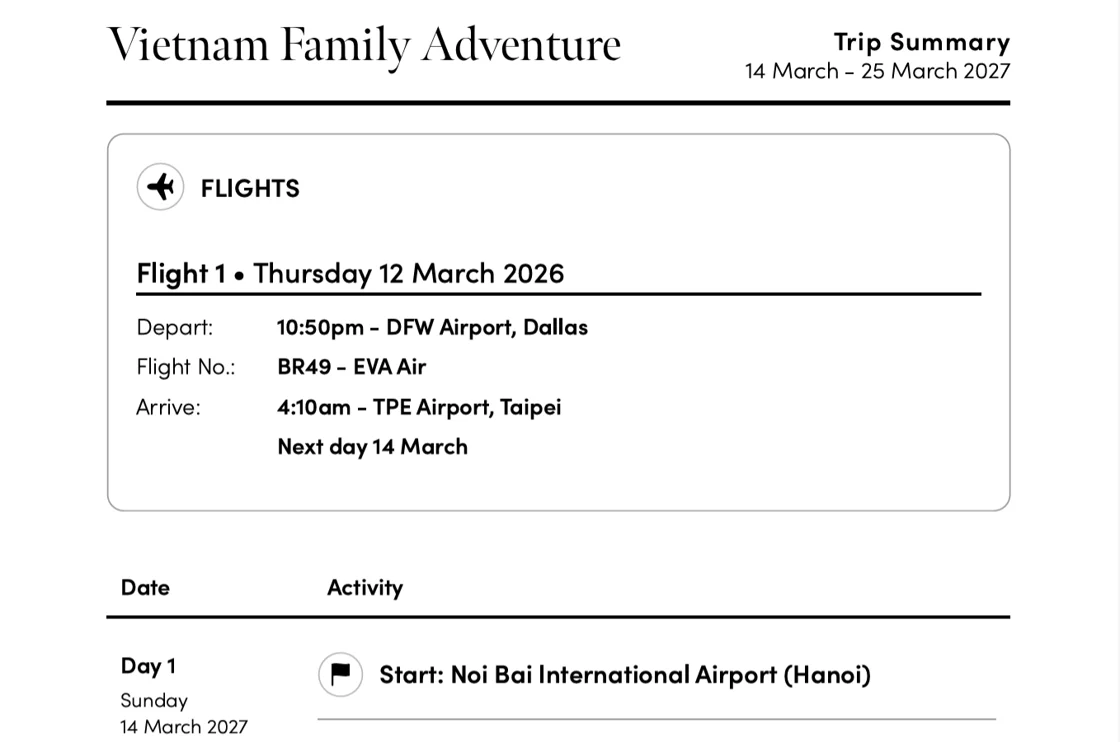
Pre- and post-trip flights
There’s a new dedicated section for arriving and departing flights before the trip begins. Your clients see them clearly at the top and bottom of their travel docs.
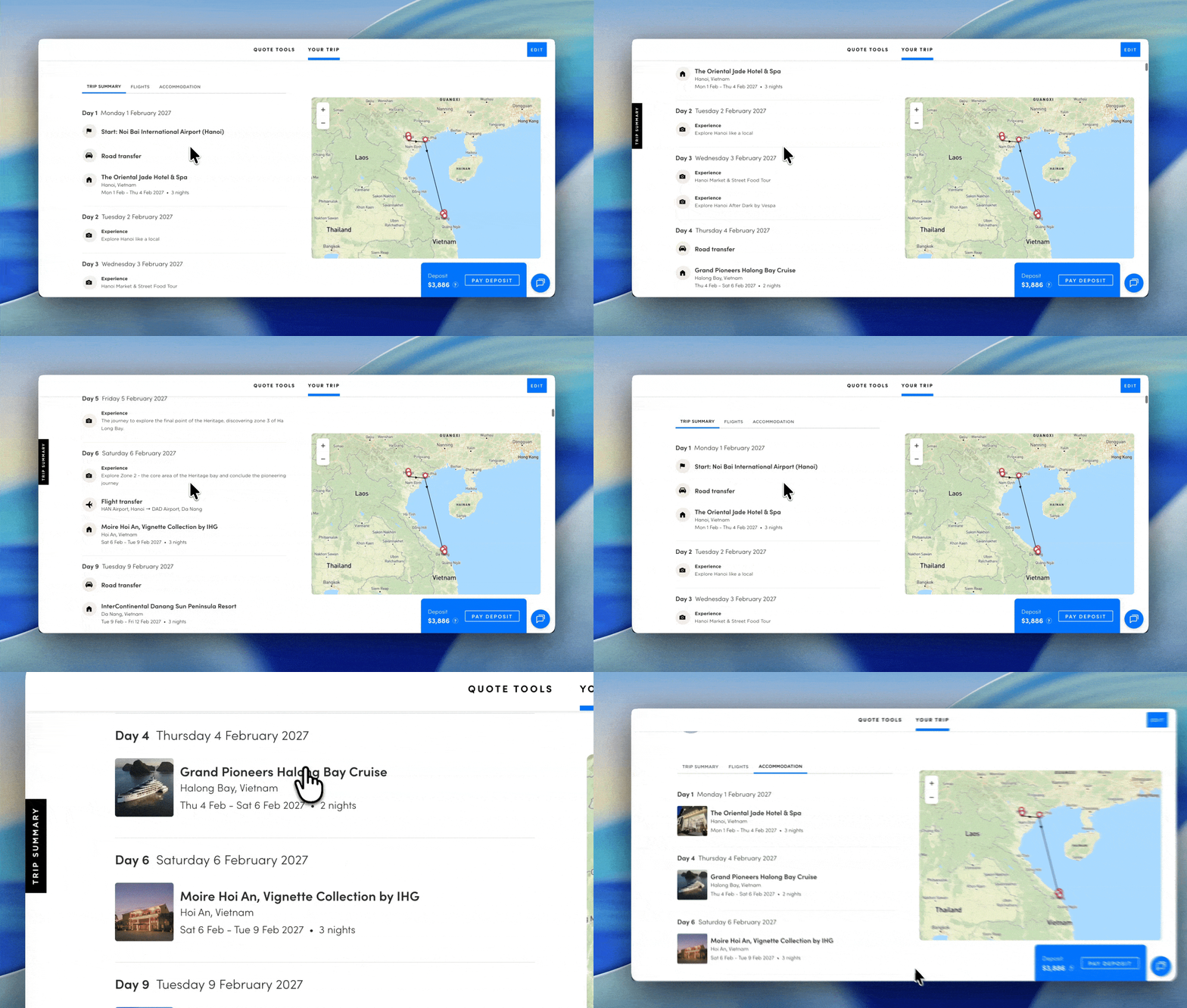
Improved trip summary
Three new sections are now built into every trip overview: a day-by-day summary, a flight summary (for international flights and internal flight transfers), and accommodation summary. We have also added a tab to the left of the screen which allows for easy navigation through the trip.
New travel docs
Your travel documents now pull in start times and descriptions for every activity and transfer. Your guests get a clean, on-the-ground reference with exactly the right level of detail, right when they need it.
If you have any questions or need help navigating the new tools, please get in touch. We’re always happy to chat.
